The power button turns the device on and off. Both actions use a press and hold of about three seconds; a short press only turns the display on and off.
Turning the device on
Check there is charge in the battery first. How the level is shown differs between devices, and the article for your device covers it.
Press and hold the power button for about three seconds.
Starting up takes around fifteen seconds. The device plays a sound and Ari Home appears on the display. At that point the device is listening and ready.
Turning the device off
By voice, say "MY SETTINGS", then "POWER OPTIONS", then "POWER DOWN". A device still running the previous operating system answers to "MY CONTROLS" instead.
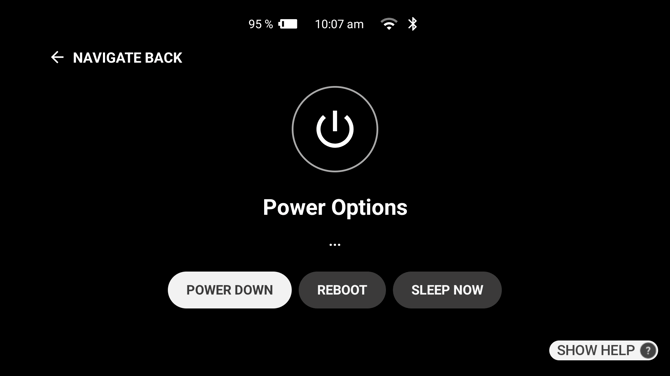
By hand, press and hold the power button for about three seconds and release it when the tone sounds.
Either way a shutdown screen appears briefly and the device switches off.
Choosing between off and sleep
Turning the device off uses less battery than sleep and is the right choice at the end of a shift. A device that is charged and switched off also keeps its battery in better condition than one left running.
For a break of minutes, sleep is the better choice: the display goes off but the device stays ready, avoiding the start-up wait.
The first time a device starts
A device starting for the first time, or one that has been factory reset, does not go straight to Ari Home. It works through choosing a language, connecting to Wi-Fi, and a short tutorial covering the voice commands. Ari Home follows once that is complete.