Sleep turns the display off and stops the device listening, while leaving it switched on. It suits short breaks between tasks, where a full restart would waste time.
Putting the device to sleep
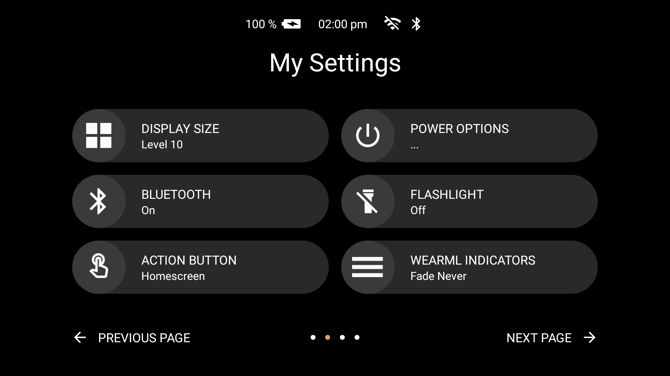
Say "MY SETTINGS", then "POWER OPTIONS". The tile is on the second page of settings. A device still running the previous operating system answers to "MY CONTROLS" instead.
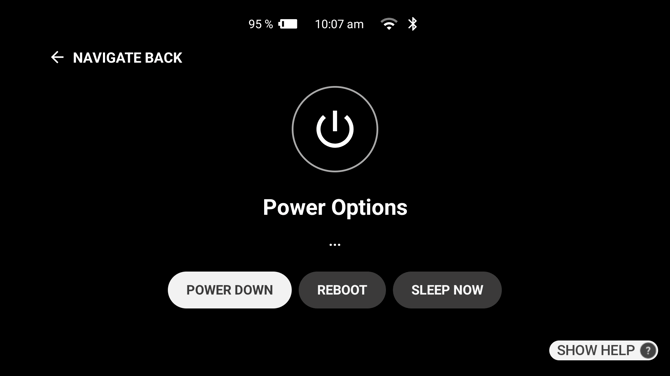
Then say "SLEEP NOW".
A short press of the power button does the same thing, from any screen. The device describes this as activating and deactivating the display.
Waking the device
Press the power button again. The device returns to the screen it was on.
Speaking will not wake it, because a sleeping device is not listening.
Sleep, or off
Sleep keeps the device powered and ready, and suits a break of minutes. Turning the device off uses less battery and suits the end of a shift, at the cost of a start-up wait when the device is next needed.