A device is set up by scanning a QR code with Get Connected. The code carries the Wi-Fi network to join, and can also carry the language, time zone, and date and time.
This article covers generating that code in a web browser. Ari Business can generate configuration codes too, and those can do more.
Generating a code in a web browser
On a computer or phone, go to realwear.setupmyhmt.com/configure and choose First Time Setup, then work through the steps:
- Choose the language and click Next.
- Choose the world region and time zone. Set Automatically is ticked by default and takes the values from the computer or phone you are using. Untick it to set them yourself.
- Set the date and time and click Next. You can also enter the Wi-Fi network name and password here. Most networks use WPA or WPA2.
- Click Generate Code. The QR code appears on screen.
Leave the code on screen, because the device reads it from the display.
Scanning the code on the device
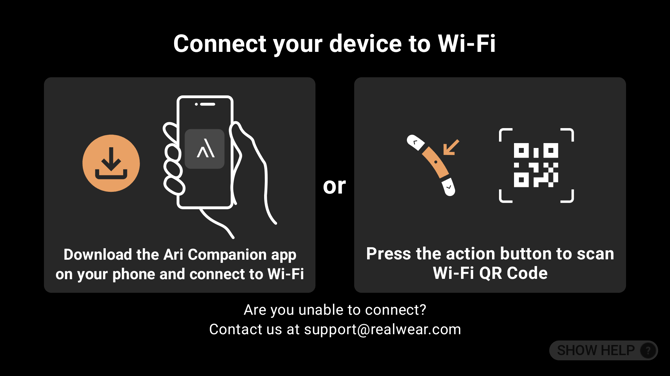
Get Connected opens by itself during first-time setup. After setup you can open it again from the home screen or from My Settings.
Press the action button to start scanning, then point the device camera at the QR code on your screen. While the camera is open, the volume buttons adjust the zoom, and the action button takes you back.
The device shows what it is doing as it works through the code: connecting to Wi-Fi, changing the language, and so on. If it cannot connect it says why, for example that the password was wrong or the network was not found.
Which kind of code your device can read
This depends on the version of Ari OS the device is running.
| Device | Codes it can read |
|---|---|
| Running Android 16 or later | A configuration code from the browser tool or from Ari Business, and an ordinary Wi-Fi QR code of the kind any phone can generate |
| Running an earlier version | A configuration code from the browser tool or from Ari Business |
So on a current device, if all you need is to join a network, you can share the Wi-Fi from a phone as a QR code and scan that. On an earlier device, generate the code with the browser tool as described above.
What a configuration code can set
| Setting | Set by a browser code | Set by an Ari Business code |
|---|---|---|
| Wi-Fi network | Yes | Yes |
| Language | Yes | Yes |
| Time zone, date and time | Yes | Yes |
| Enrolment into your mobility management system | No | Yes |
A code generated in the browser uses an older format, which Get Connected still reads. Codes generated by Ari Business can additionally enrol the device into your mobility management system, which the browser tool cannot do.