Power Options provides the device’s power actions - powering down, rebooting and sleeping - from within My Settings.
Opening Power Options
From any screen, say “MY SETTINGS”, then say “POWER OPTIONS”. The Power Options screen opens, showing the actions available on your device. A device still running the previous operating system answers to "MY CONTROLS" instead. On that operating system the battery swap command is shown as "HOT SWAP", two words, rather than "HOTSWAP".
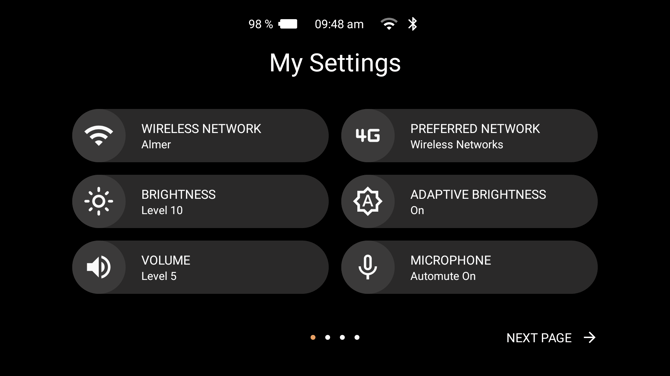
To leave without taking any action, say “NAVIGATE BACK”.
Power actions
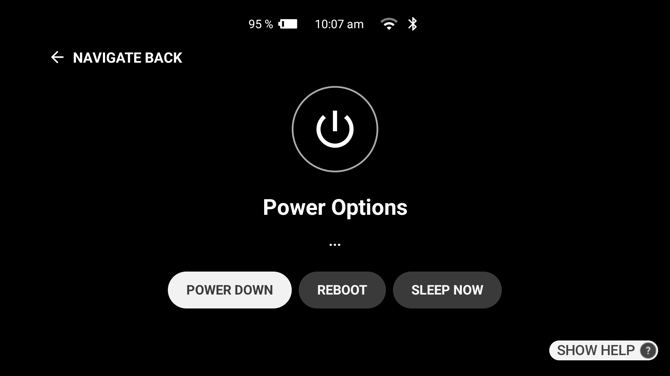
| Voice Command | Action |
|---|---|
| “POWER DOWN” | Turns the device off. |
| “REBOOT” | Restarts the device. |
| “SLEEP NOW” | Puts the device into sleep mode. Press the power button briefly to wake it again. |
| “HOTSWAP” | Prepares the device for a battery change. The device announces “Preparing for swap...” and then allows the battery to be switched safely. |
Which actions appear
Power Down, Reboot and Sleep Now are always available. Hotswap appears only on devices with a removable battery, and only while the backup battery holds enough charge to complete the swap; if the backup battery is too low, the device asks you to plug in and charge instead.
Ari Business can hide Power Options from My Settings altogether, but it cannot change which actions the screen offers.