Say "MY PROGRAMS" from Ari Home for every app installed on the device, not just the pinned ones.
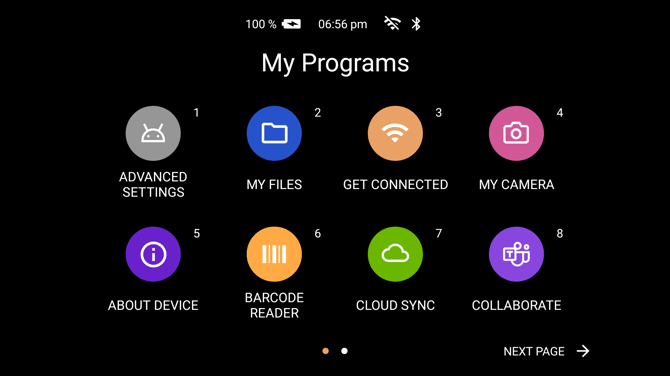
Apps are shown eight to a page, each with a number in its top right corner. Say the name written under an app to open it, or say "SELECT ITEM" followed by its number, for example "SELECT ITEM 5".
Say "NEXT PAGE" and "PREVIOUS PAGE" to move between pages. The dots along the bottom show how many pages there are and which one you are on.
The order the apps are in
The list is ordered by how much you have used each app over the last thirty days, so the ones you reach for most are on the first page. Apps you have not used are ordered by name.
This means the numbers move. Refer to an application by name rather than by number in any written procedure.
Which apps are in the list
What is installed depends on the device and on what Ari Business has put on it. The list can also be restricted from Ari Business, either to a named set of apps or by hiding particular ones, so a managed device may show fewer apps than are installed.
The Android settings app appears here as Advanced Settings.
Voice Commands
| Voice Command | Action |
|---|---|
| "MY PROGRAMS" | Opens the list from Ari Home. |
| "SELECT ITEM" followed by a number | Opens the app carrying that number. |
| "NEXT PAGE" | Moves to the next page of apps. |
| "PREVIOUS PAGE" | Moves to the previous page. |
| "NAVIGATE BACK" | Returns to Ari Home. |
| "SHOW HELP" | Lists the commands available on this screen. |